AYANEO Pocket Air Mini: Unpacking Its Hardware and Software Potential

The AYANEO Pocket Air Mini has quickly become a notable entry in the budget Android handheld space, offering a compelling blend of build quality and performance for its price. Its MediaTek Helio G90T system on a chip, paired with a 4.2-inch 1920x960 liquid crystal display, positions it as a strong contender for those looking to run systems up to the PlayStation 1 era and beyond, though with some caveats for more demanding titles. This device, as detailed by Retro Handhelds, presents an interesting proposition for enthusiasts, especially given AYANEO's usual premium pricing.
Hardware Overview: A Budget Contender's Core
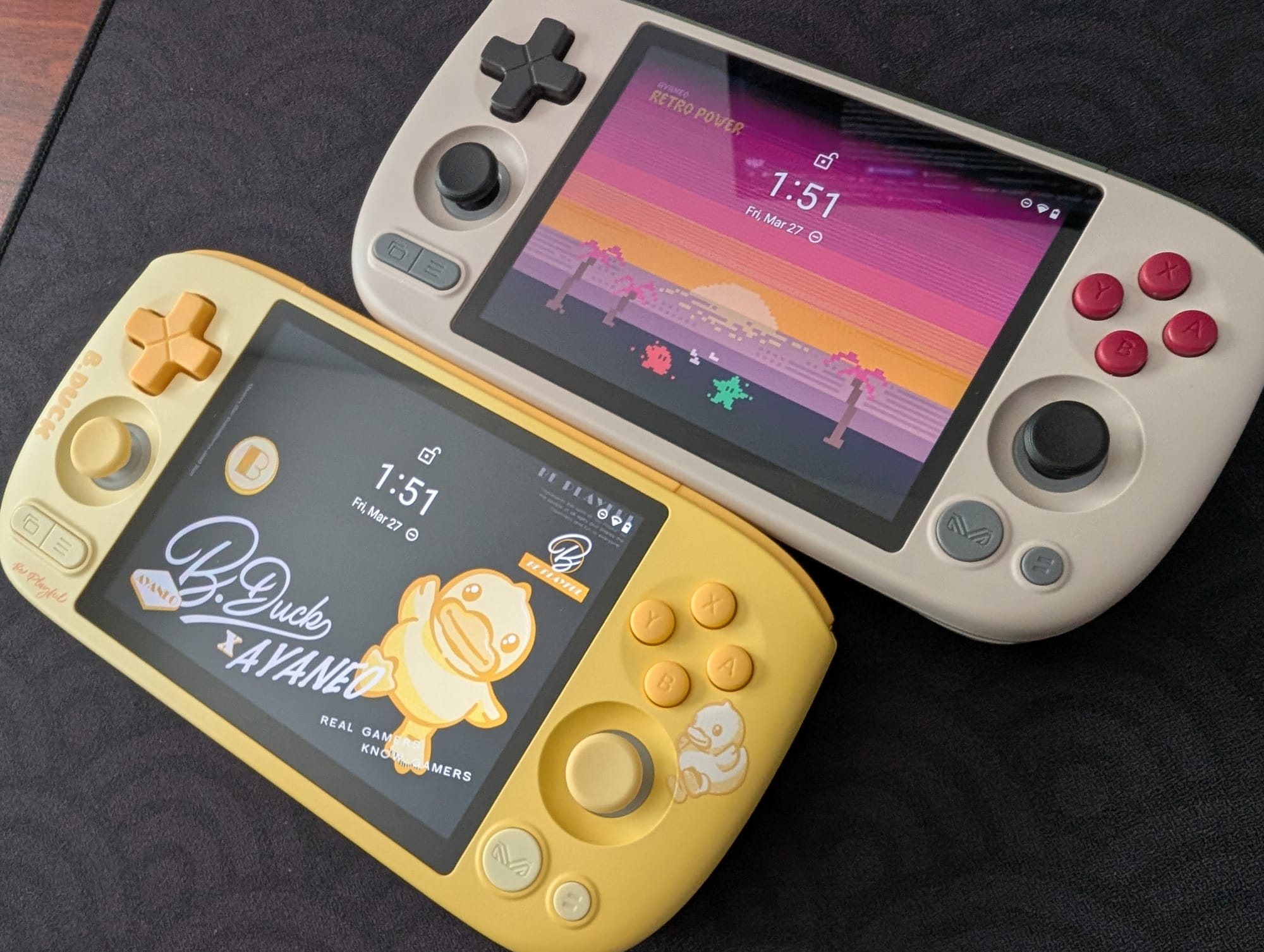
The Pocket Air Mini comes in several colourways, including Aurora Black, Retro White, Retro Power, and a limited edition B. Duck Sunny Pop yellow. These options cater to different aesthetic preferences, with the Retro Power and B. Duck versions exclusively available in the 3GB RAM and 64GB internal storage configuration. The standard models offer a choice between 2GB or 3GB of RAM, both paired with 64GB of storage. The 2GB RAM variant is sufficient for emulating systems up to the PlayStation 1, but it will show limitations with more intensive titles.
Powering the device is the MediaTek Helio G90T, a system on a chip often found in mid-range smartphones. This chip drives the 4.2-inch LCD, which boasts a resolution of 1920x960 pixels. The screen's 4:3 aspect ratio is particularly well-suited for many retro gaming systems, ensuring a native display without awkward scaling or letterboxing. While the display offers good brightness and colour reproduction, community feedback has noted some ghosting, which is a minor trade-off for the overall package.
Expanding Storage and Optimising File Management
When it comes to game storage, users face the familiar choice between the device's internal 64GB storage and external options like microSD cards or portable solid-state drives. Internal storage generally provides faster and more stable performance, which is critical for demanding applications. External storage, however, offers greater flexibility for transferring files between devices without constant computer involvement. The source mentions using an external 2230 SSD enclosure, such as a Sharge Disk, for direct game playback, which is a clever approach to managing large game libraries.
For those attempting PC emulation on the Pocket Air Mini, which the device struggles with, using internal storage for these files is recommended. Android's handling of external storage for PC emulation can lead to performance issues or crashes. This highlights the importance of understanding the device's limitations and optimising file placement accordingly. It is a common challenge with Android-based handhelds, where the operating system's file system can introduce bottlenecks.
Streamlining Emulator Setup with Obtainium
Setting up emulators on Android handhelds has become significantly easier over time. The days of manually sourcing and installing each emulator are largely behind us, thanks to tools like Obtainium. This application simplifies the process by providing direct links to developer sources, ensuring users get the latest versions of emulation and gaming software. Obtainium also monitors these programmes for updates, alerting users when new versions are available and streamlining the maintenance process.
While Obtainium handles most emulator installations, some systems, particularly disc-based ones, require Basic Input/Output System files to function correctly. These BIOS files are essential for systems like the PlayStation 2, GameCube, and Sega Saturn. The Pocket Air Mini can surprisingly handle a number of GameCube and PS2 titles at native resolution, though more demanding games will push the limits of its RAM and the MediaTek Helio G90T chip. Finding these BIOS files is a common hurdle for new users, but community resources often provide guidance on their placement within the device's file structure.
Choosing a Frontend and Pushing Performance Limits
Selecting a game launcher or frontend is largely a matter of personal preference. The AYANEO Pocket Air Mini includes the AYASPACE launcher, which offers basic functionality and integration options. However, many users opt for third-party solutions. Beacon Game Launcher, a paid application, is highlighted for its simple setup and clean aesthetic, making it a popular choice for those who prefer a straightforward experience. Exploring different frontends allows users to tailor the interface to their specific needs and workflow.
Streaming PC games to the Pocket Air Mini is possible, but its success depends heavily on the host PC's capabilities and the home network's stability. The 3GB RAM version of the device offers a more stable streaming experience. While the source's author had difficulty with Artemis, a popular streaming client, other users on the Retro Handhelds Discord reported success with Moonlight and Sunshine, which are related streaming solutions. This suggests that network configuration and specific client compatibility play a significant role in the streaming experience.
Community Optimisation and Advanced Features
The AYANEO Pocket Air Mini, like many Android handhelds, benefits from community-driven optimisation efforts. A debloat guide, circulated within the Retro Handhelds Discord community and detailed on CyberYellowNinja's GitHub page, aims to squeeze additional performance from the device. This guide involves optimising the Android operating system by removing unnecessary background processes and applications, which users report can lead to increased performance in demanding emulators for systems like PlayStation 2, GameCube, and even Wii. This kind of community engagement is a hallmark of the retro handheld scene, where users constantly seek to maximise their hardware's potential.
Another valuable tool for managing game libraries is CHDroid, an application that converts ROM files into a compressed .chd format. This is particularly useful for disc-based games from systems such as PlayStation 2, Sega Saturn, Dreamcast, and PC Engine CD, as it can significantly reduce file sizes, saving precious storage space. RetroAchievements, a community-driven platform, adds a modern twist to retro gaming by allowing users to earn achievements in classic titles, providing an extra layer of engagement for those who enjoy online connectivity and challenges.
Navigating the Device and Its Value Proposition
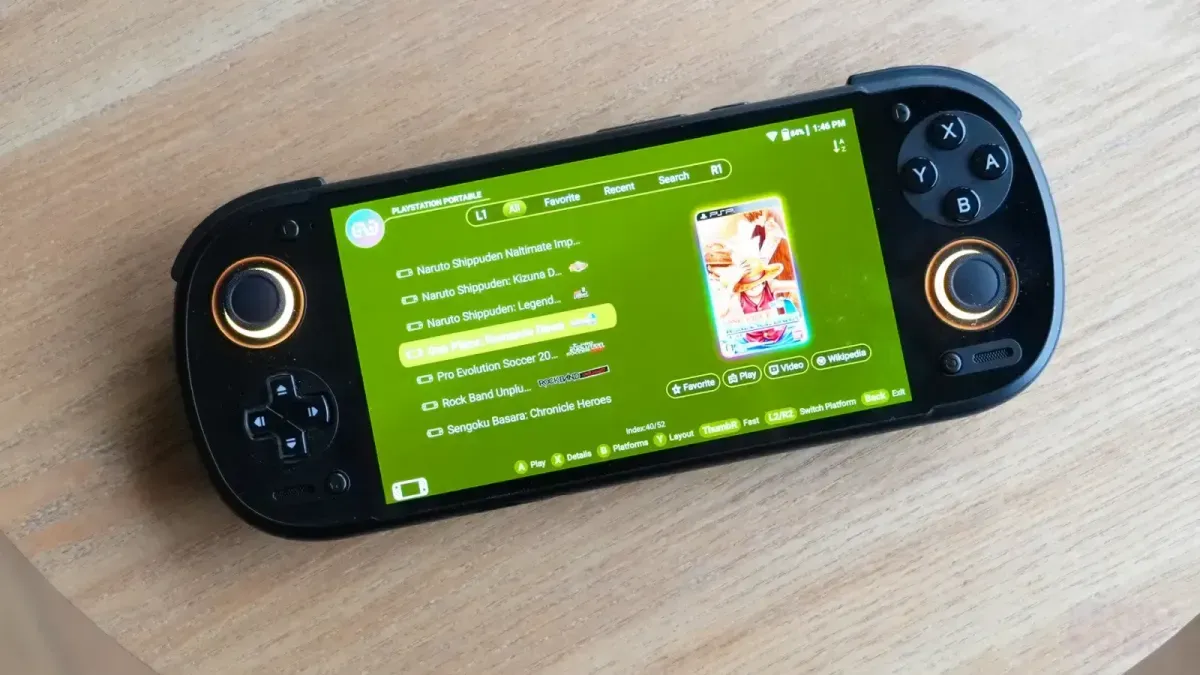
Understanding the physical layout of the Pocket Air Mini is straightforward. It features two function buttons near the shoulder buttons, which can be customised via the AYANEO Menu. Power and volume controls are located along the top edge. The Start and Select buttons sit below the left analogue stick, while the AYANEO “M” button and Back button are positioned below the right analogue stick. Tapping the “M” button brings up a menu offering monitoring panels and quick settings, providing immediate access to performance data and adjustments.
For software updates, the AYASetting icon, a modified version of the standard Android settings icon, provides access to system-level configurations. File transfer is made easier with applications like Solid Explorer, a paid option praised for its split-screen layout and ease of use. For those preferring a free alternative, MiXplorer is a strong recommendation, offering similar functionality. The AYANEO Pocket Air Mini's impressive build quality and capabilities for approximately $120 make it one of the best values in the current handheld market. This device shows that AYANEO can deliver a compelling product at a more accessible price point, broadening its appeal beyond the high-end segment it typically occupies. It is a solid choice for anyone looking to get into Android emulation without breaking the bank, especially with the community's ongoing efforts to refine its performance.
Keep your collection properly. RetroShell's shop stocks UK-made acrylic protectors for Atari, Sega, Nintendo and more.
Follow RetroShell on X for daily retro gaming news. Join the community on r/RetroShell.
Originally published by Retro Handhelds. Read original article.