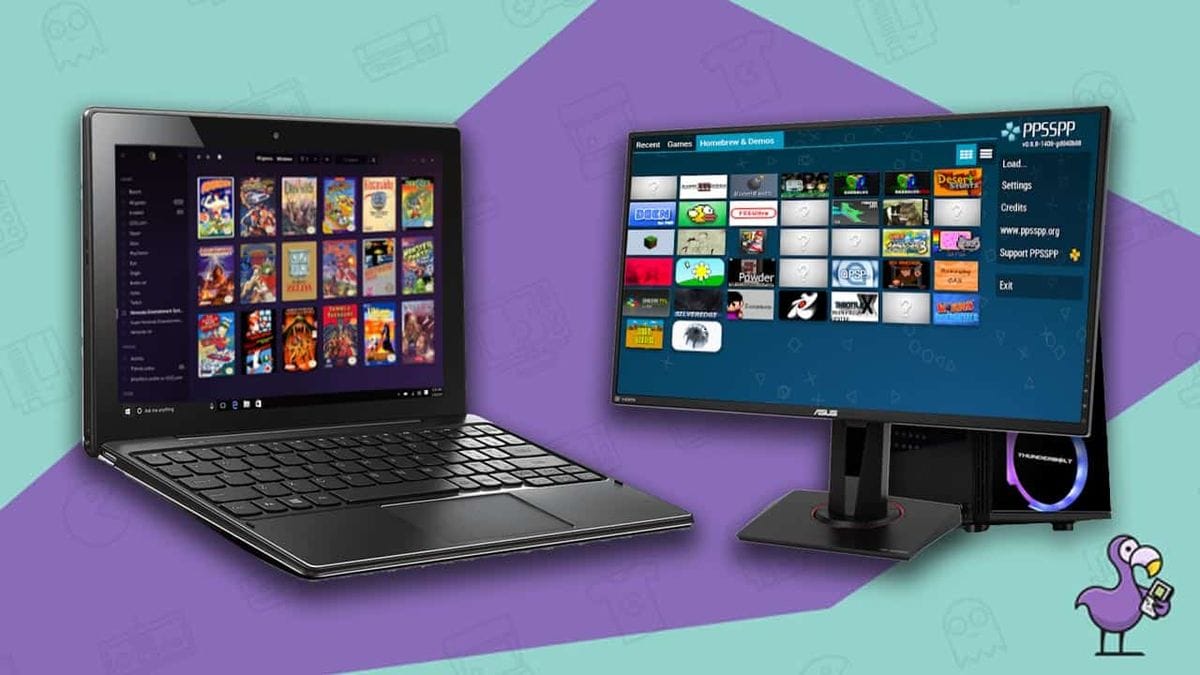
RetroDodo's PC Emulator Rundown: A Deep Dive into Digital Preservation

RetroDodo has published a useful overview of PC emulation options, covering everything from multi-system front-ends to dedicated console emulators. While dedicated hardware like the Analogue Pocket offers FPGA-driven, cycle-accurate experiences for specific systems, software emulation on a personal computer remains a critical, accessible pathway for many to revisit classic titles and explore the vast libraries of consoles from the 8-bit era through to the 128-bit generation.
Their selection touches on the breadth of the emulation scene, from the all-encompassing RetroArch to more specialised programmes like PCSX2 for PlayStation 2 titles. This list serves as a solid entry point for newcomers and a good reminder for seasoned enthusiasts of the robust tools available. The ongoing development of these emulators ensures that even complex systems, once thought impossible to replicate accurately, are now highly playable.
The All-in-One Powerhouse: RetroArch
RetroArch stands out as a central hub for emulation, using a system of "cores" to run various console and handheld systems. A core is essentially a self-contained emulator for a specific system, loaded within the RetroArch framework. This architecture allows users to manage multiple systems from a single interface, which is incredibly efficient, according to RetroArch Official Website. RetroDodo rightly points out its reliability and strong community backing, making it a workhorse for many retro gamers.
While its user interface might not be the most visually striking compared to some dedicated front-ends, RetroArch's strength lies in its underlying flexibility and extensive configuration options. It supports a wide array of video filters, shaders, and input customisation, allowing for a highly personalised experience, according to Video Game Console Emulator Wikipedia. This level of control is something that dedicated modders, often flashing custom OSD firmwares onto IPS retrofit kits for Game Boy Advance, appreciate in their hardware, and RetroArch brings a similar depth to software.
Curating Your Digital Library with LaunchBox
LaunchBox takes a different approach, focusing heavily on presentation and organisation. RetroDodo describes its interface as looking like an "Analogue product," which is a high compliment in the retro space, suggesting a premium, polished user experience. This front-end excels at creating an attractive, browsable library for ROM files, Steam games, and even MS-DOS titles, complete with cover art and video previews.
What this hints at, for the scene, is a growing demand for curated, visually appealing ways to interact with digital game collections. While RetroArch handles the technical emulation, LaunchBox provides the aesthetic wrapper, making the experience of browsing a large game library feel more like exploring a physical collection. It shows that the user experience, beyond just raw emulation accuracy, is becoming increasingly important for many enthusiasts.
N64 Accuracy: Project64
For Nintendo 64 enthusiasts, Project64 remains a go-to emulator. The N64, with its unique architecture and early use of 3D graphics, presented significant challenges for early emulation efforts. Project64 has evolved over many years to offer reliable performance and high compatibility. The source notes its ease of setup and use, which is critical for a system that can sometimes be tricky to configure.
Its support for cheats and multiplayer, alongside flexible screen sizing, adds to its appeal. The N64's library, known for titles like The Legend of Zelda: Ocarina of Time and Super Mario 64, benefits greatly from an emulator that can accurately reproduce its distinct visual style and gameplay mechanics. The active community around Project64, sharing tips and tricks, is a testament to its enduring popularity and the dedication required to perfect N64 emulation.
Afterplay: Cloud-Synced Emulation
Afterplay introduces a cloud-centric approach to emulation, allowing users to play games on their PC and then resume progress on a browser from any location. This cross-device synchronisation is a compelling feature, particularly for those who enjoy playing on the go but also want the comfort of a desktop setup. It feels like a natural evolution for digital game libraries, mirroring how modern streaming services operate.
Beyond its cloud capabilities, Afterplay also features a newly opened store for indie games, offering both digital and physical editions. While the source mentions an AI-powered translator for Japanese games, a feature that raises questions about authenticity in retro gaming, the core offering of seamless save synchronisation is a practical benefit. This kind of flexibility is something that even dedicated handhelds, without custom firmware, often struggle to provide.
Mastering 128-bit: Dolphin Emulator
Dolphin Emulator is an absolute cornerstone of the emulation community, specifically for Nintendo GameCube and Wii titles. These 128-bit consoles were notoriously difficult to emulate accurately for many years, requiring significant computational power and clever programming. Dolphin's journey began in 2003, and it took considerable time for its compatibility to reach a truly playable state.
Today, Dolphin boasts impressive compatibility statistics: 69.7% of games are rated “Perfect,” and 28.2% are “Playable.” This level of accuracy, combined with features like HD upscaling and support for the Game Boy Player and Triforce Arcade Titles, makes Dolphin an essential tool. It shows the dedication of developers to overcome complex hardware challenges, bringing high-fidelity experiences of these consoles to modern PCs, often exceeding the original console's output resolution.
PlayStation 2 Emulation with PCSX2
PCSX2 is another long-standing and highly respected emulator, focusing on the PlayStation 2. The PS2, with its complex Emotion Engine and Graphics Synthesizer architecture, presented a monumental task for emulation developers. PCSX2, like Dolphin, has been under continuous development for nearly as long as the console itself, with its latest version 2.6.0 released in January 2026.
Its open-source nature has fostered a strong community, leading to remarkable compatibility. The source reports that PCSX2 supports 2,679 PS2 games, with 98.36% being playable and 1.23% achieving “perfect” status. This is a staggering achievement for such a complex system. The fact that AetherSX2, a popular Android PS2 emulator, derives from PCSX2's source code further highlights its foundational importance in the 128-bit emulation space.
Portable Power: PPSSPP
The Sony PSP remains a beloved handheld, even years after its discontinuation, thanks to its strong library and comfortable form factor. PPSSPP is the definitive emulator for the PSP, available across a multitude of platforms, including PC, Android, and iOS. Its ease of setup and straightforward interface make it highly accessible for anyone wanting to revisit PSP classics.
PPSSPP's ongoing development, coupled with features like HD upscaling, allows players to experience PSP games at resolutions far beyond the original 480 x 272 pixel screen of the handheld. This is a significant upgrade, making games look crisp and vibrant on modern displays. For enthusiasts who appreciate the hardware but desire a sharper image, PPSSPP offers a fantastic alternative to the original hardware, much like how IPS screen mods revitalise older Game Boy models.
Dreamcast Revival: Flycast
Sega's Dreamcast, a console ahead of its time, has found a new life through emulation, and Flycast has emerged as a leading emulator for the system. RetroDodo highlights its superior layout, ease of use, and high game compatibility compared to other Dreamcast emulators like Redream. The Dreamcast's unique PowerVR2 graphics chip and Windows CE integration made it a challenging system to replicate accurately.
Flycast's open-source development, optimised emulation core, and dynamic processing contribute to a smooth experience, reducing lag and ensuring high performance. The regular updates and free availability make it an excellent choice for exploring the Dreamcast's eclectic library, from arcade ports to unique first-party titles. It is a testament to the community's dedication to preserving and enhancing the experience of this cult classic console.
Dual-Screen Challenges: melonDS
The Nintendo DS, with its innovative dual-screen setup and touch input, is notoriously difficult to emulate accurately. However, melonDS has made significant strides, becoming a highly regarded option for PC users. Despite its website still labelling it as a “work-in-progress,” its accuracy and wide game compatibility are impressive.
melonDS features a JIT recompiler, which is a Just-In-Time compiler that translates the DS's ARM instructions into native PC instructions on the fly, significantly speeding up emulation. It also includes 3D upscaling, an OpenGL renderer, microphone support, and robust multiplayer functionality, often considered superior to its predecessor, DeSmuME. This technical prowess is crucial for faithfully reproducing the DS's unique gameplay mechanics.
Arcade Classics: FinalBurn Alpha
For those who yearn for the golden age of arcade gaming, FinalBurn Alpha (FBA) is a dedicated solution. It focuses on emulating a wide range of arcade cabinet platforms, including those from Capcom, Data East, Konami, Neo-Geo, Sega, and Taito. While many of these older arcade titles can be emulated on less powerful hardware, FBA provides a focused and optimised experience for these coin-op classics.
FBA is an all-in-one programme designed for arcade-specific titles, ensuring that the unique quirks and timing of these games are accurately reproduced. This is important for genres like shmups and fighting games, where precise input and timing are paramount. It helps preserve the experience of playing these games as they were intended, without the distractions of a multi-system front-end.
Revisiting MS-DOS: DOSBox
DOSBox is an essential tool for anyone looking to revisit the vast library of MS-DOS games from the 1980s and 1990s. Before the widespread adoption of Microsoft Windows, MS-DOS was the dominant operating system for personal computers, hosting countless classic titles. DOSBox provides a complete DOS environment, allowing these games to run on modern Windows, Linux, and macOS systems without compatibility issues.
As a free and open-source programme, DOSBox ensures that a significant portion of early PC gaming history remains accessible. It handles everything from CPU speed emulation to sound card replication, making it possible to experience these games as they were originally played. This preservation effort is vital, as many of these titles are otherwise unplayable on contemporary hardware.
Super Nintendo Fidelity: Snes9x
Snes9x is a long-standing and highly respected emulator specifically for the Super Nintendo Entertainment System and Super Famicom. The SNES boasts one of the most celebrated game libraries in history, and Snes9x provides a straightforward, accurate way to play nearly all of its 1,700 titles, including many Japan-exclusive releases.
Its focus on core emulation without excessive extra features makes it ideal for users who simply want to load a game and play. The SNES's unique Super FX chip and Mode 7 graphics capabilities were complex for early emulators, but Snes9x has long since mastered these, offering a highly faithful experience. It opens up the full breadth of the SNES catalogue to a new generation of players and allows veterans to revisit their favourites with ease.
The Enduring Value of PC Emulation
The RetroDodo list underscores the enduring importance of PC emulation in the retro gaming scene. These software solutions not only make classic games accessible to a wider audience but also play a critical role in digital preservation. While dedicated hardware like the Analogue Pocket offers a purist's approach with FPGA technology, PC emulators provide flexibility, upscaling capabilities, and often, a lower barrier to entry.
The continuous development of projects like Dolphin, PCSX2, and melonDS, often driven by passionate communities, ensures that even the most complex console architectures can be accurately replicated. This commitment to accuracy and accessibility means that the bizarre form-factor history of the Game Boy Advance, or the intricate clock speeds of a Neo Geo Pocket, can be experienced and understood through these digital windows, keeping the spirit of retro gaming alive and evolving.
RetroShell also makes museum-grade acrylic game protectors — UK-produced, cast acrylic, sized for every major console generation.
Follow RetroShell on X for daily retro gaming news. Join the community on r/RetroShell.
Originally published by RetroDodo. Read original article.