RomM Server Build on Acemagic Kron Mini K1

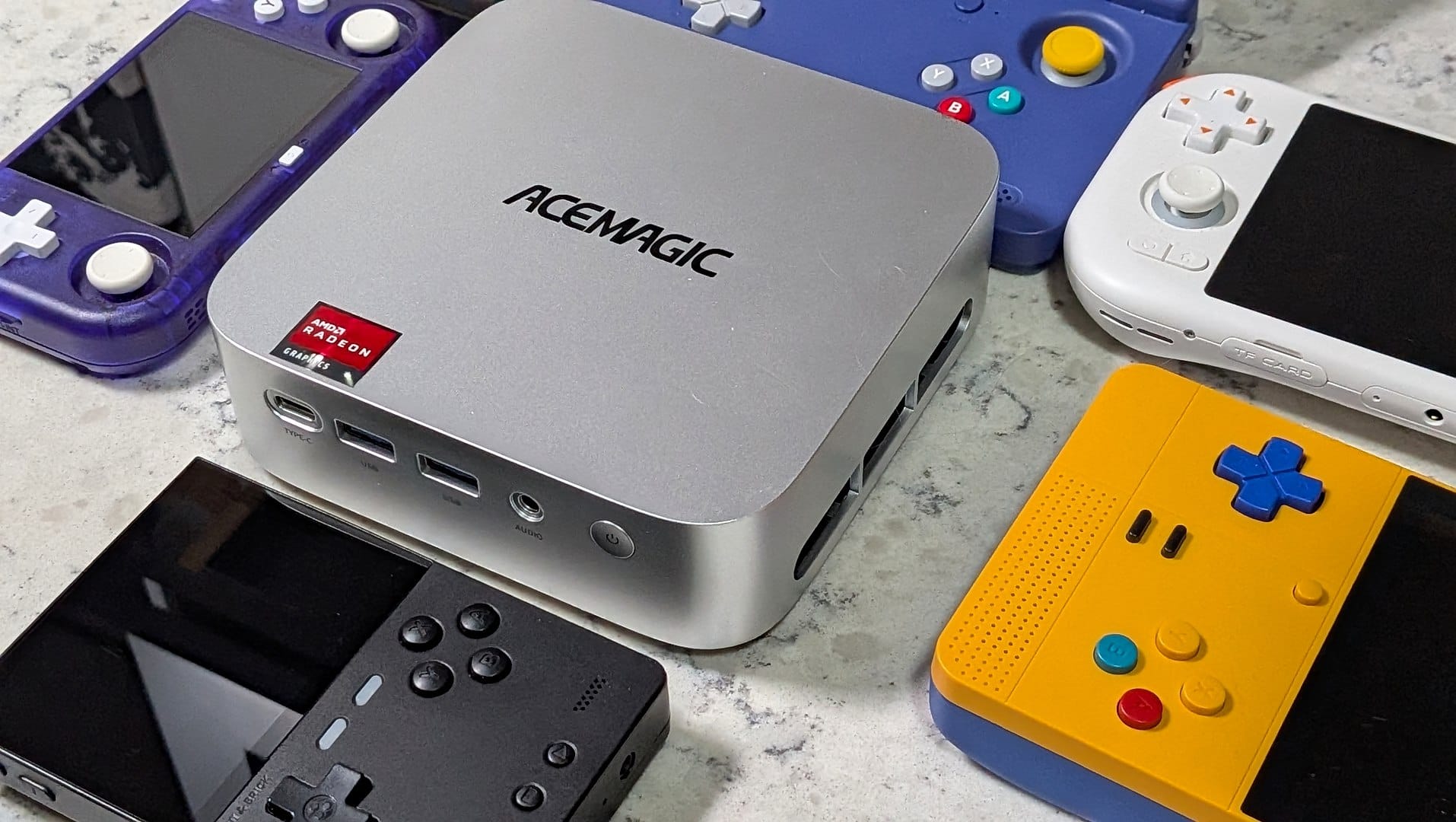
For retro gamers in the UK, the appeal is simple, a small always-on server that keeps your ROMs and BIOS files ready for handhelds without constant card swapping. Retro Handhelds recently covered a build that turns the Acemagic Kron Mini K1 into exactly that, using its compact size and AMD R2544 APU for a home server setup.
The project is less about desktop emulation and more about a practical, power-efficient job, hosting a central retro library that can be reached over a network. That makes it a strong fit for players who want their collection in one place, rather than spread across multiple devices and microSD cards.
The Kron Mini K1 is a small form-factor PC with an AMD R2544 APU, and the source notes that AceMagic also uses the same chipset in its N3A NAS system. It has dual M.2 slots for storage and an extra DIMM slot for RAM expansion, although this build used the stock configuration.
The software side uses ZimaOS and RomM. ZimaOS is a free, Linux-based operating system with a browser-based GUI for Docker management, which keeps setup straightforward. RomM, the community project on GitHub, acts as a central repository for ROMs and BIOS files, and can scrape metadata from services such as IGDB and ScreenScraper.
That setup also helps with the familiar micro-SD shuffle, since the library can be accessed from any internet-connected handheld instead of moving files back and forth. RomM also supports in-browser play for cartridge-based systems, and the project is working towards native save synchronisation, with third-party clients such as Grout already available.
Power use is another part of the appeal. The article reports an idle draw of around 12 to 15 watts, and using an example electricity rate of 17 pence per kilowatt-hour, a constant 15-watt draw works out at about £22.34 a year. For readers who want a low-cost server that can sit quietly in a cupboard or basement, that is a sensible figure.
If you want more RetroShell coverage of handhelds, emulation and homebrew projects, keep an eye on our News tag. For the software behind this build, the RomM project page is the best place to start, and the original build write-up from Retro Handhelds has the full walkthrough.